 Platform Showcase
Platform Showcase
Platform Showcase
A screen-by-screen look at what ResponderOS puts in front of responders every shift. Scroll through 20 modules across operations, field response, personnel, planning, training, and wellness.
Pick your role to see the five modules built for your shift.
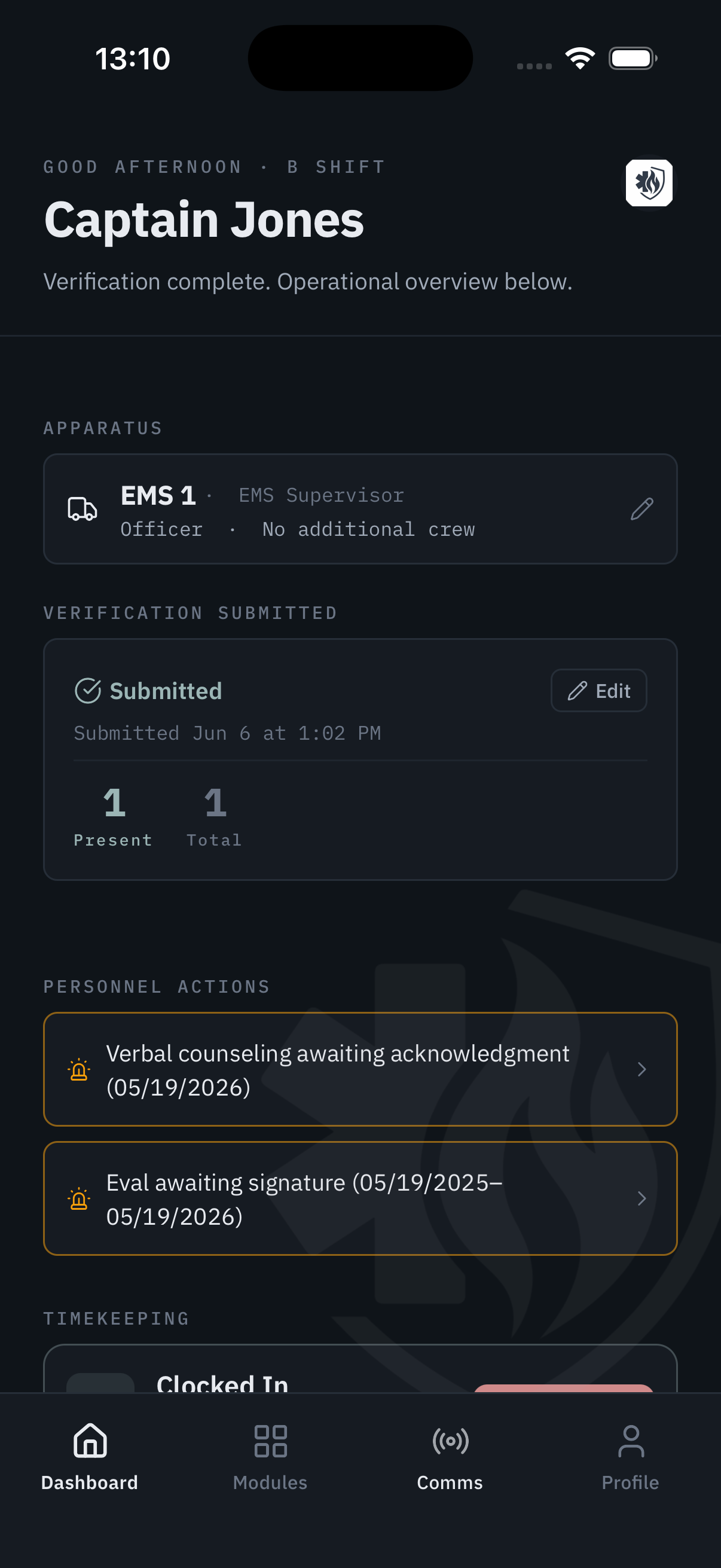
Every responder opens ResponderOS to a role-aware daily view. Captains see staffing status, task queues, and crew notes. Crew members see their assignments, personal tasks, and shift communications — without access to what isn't theirs.
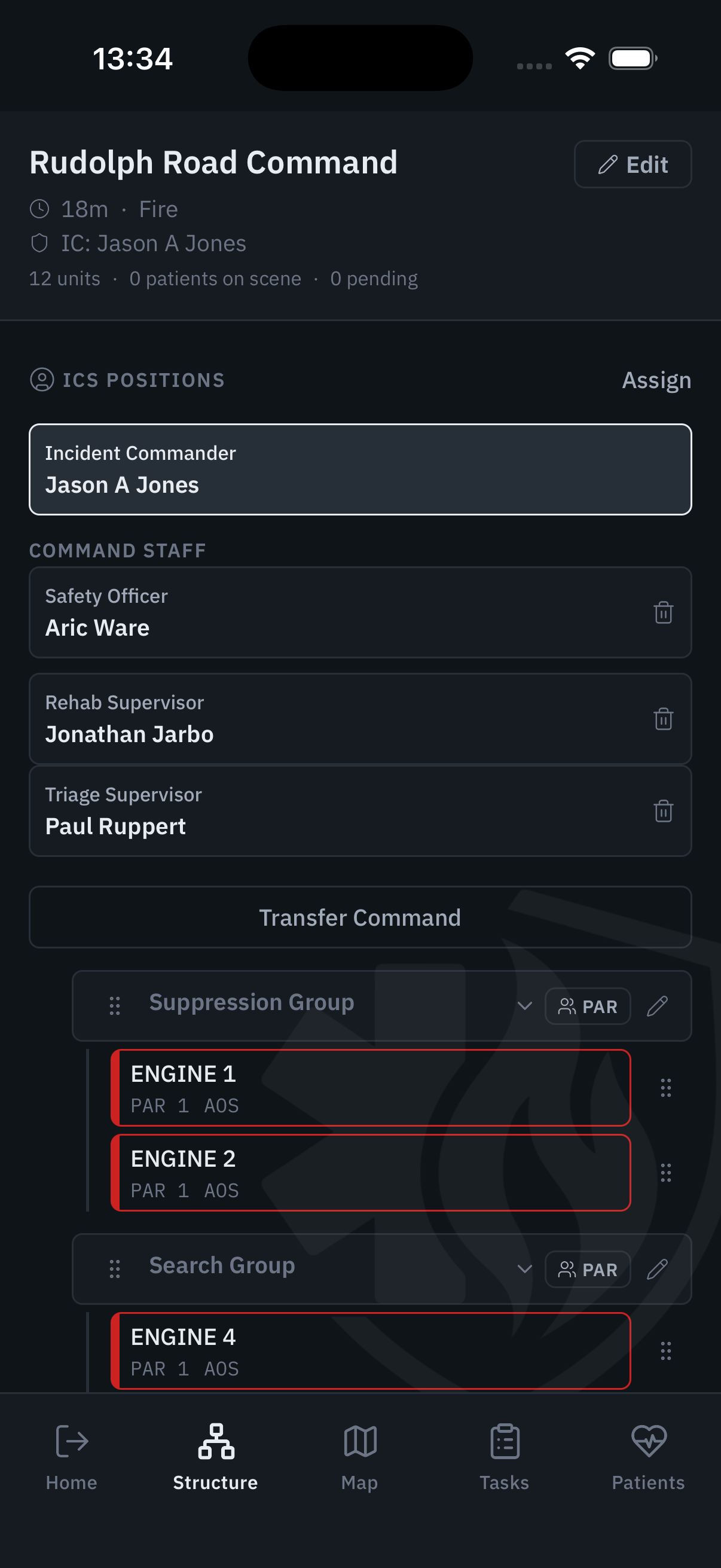
The active incident view puts every resource, sector, and patient on one screen. Time-stamped benchmarks fire automatically. Span-of-control stays visible. Nothing falls off the board because someone forgot to write it down.
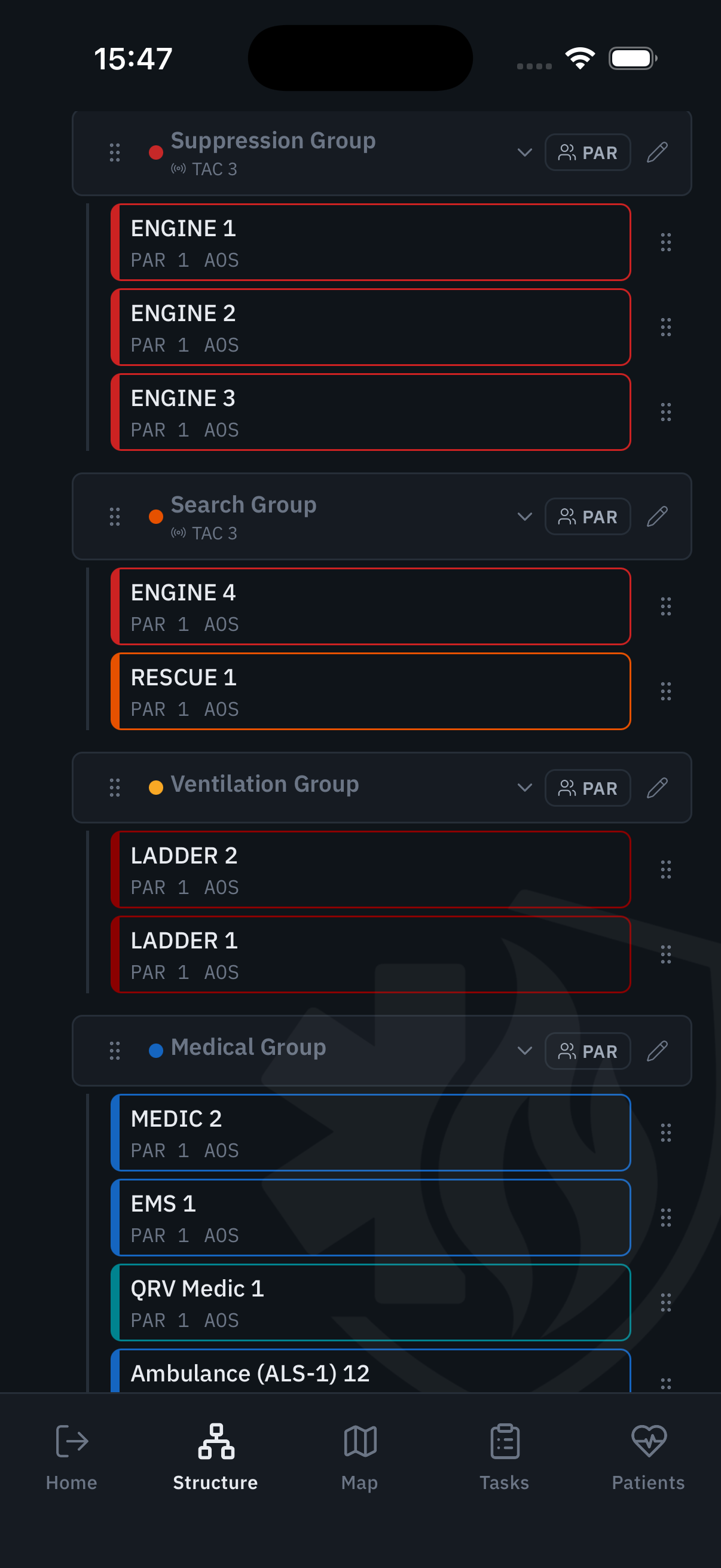
Build the ICS structure as the incident grows. Assign roles, track sector supervisors, and maintain span of control — all visible from the command post without paper, radio traffic, or whiteboards.
Agency-configured protocols, organized for the provider at the patient. No scroll-hunting, no paperback books in the bag. The right protocol is three taps away — always current, always the version your medical director approved.
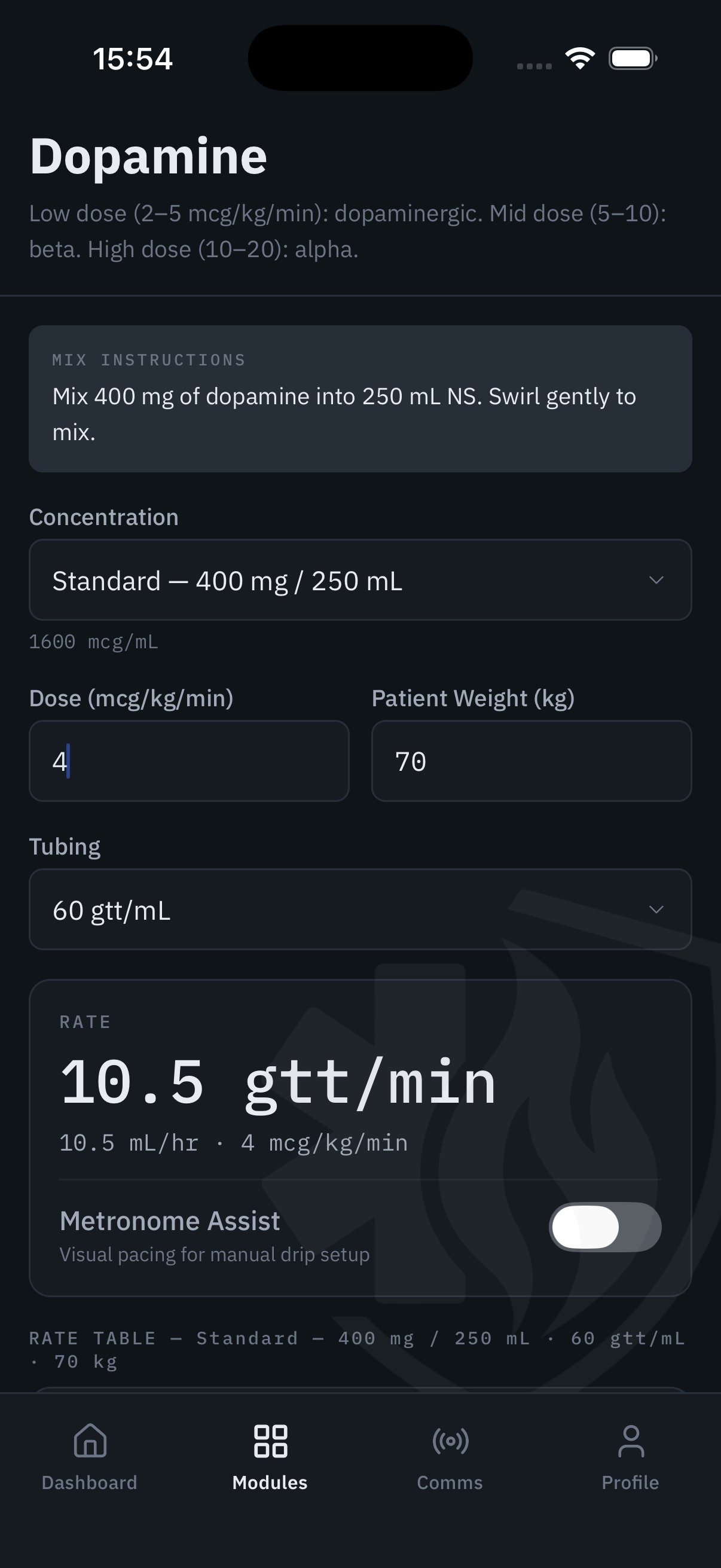
Enter the patient's weight and concentration. ResponderOS calculates the infusion rate. For dopamine, amiodarone, fentanyl, heparin, and more — the kind of calculations that carry real consequences if you get them wrong at 0200.
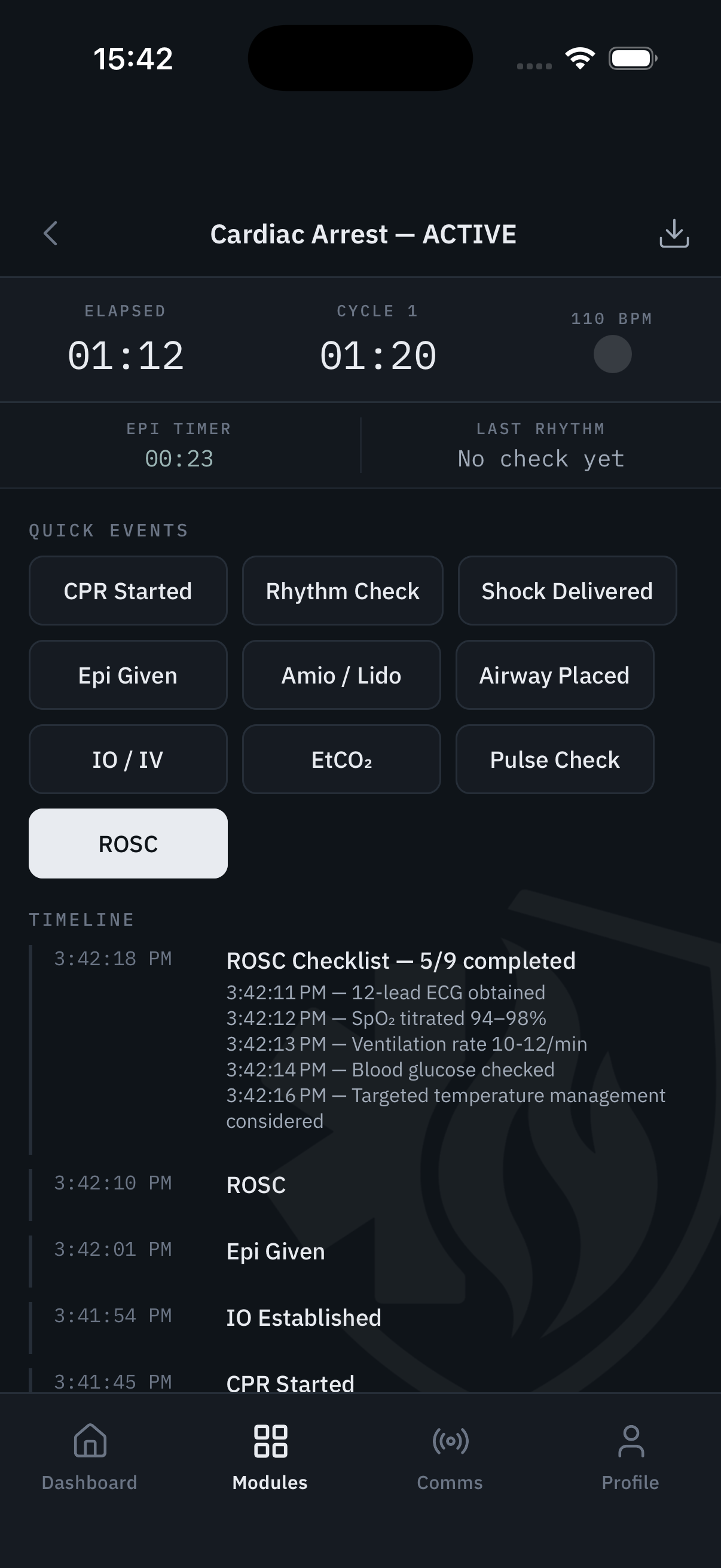
Start the clock, log interventions, document rhythm changes — ArrestOps tracks the resuscitation timeline in real time so your team can focus on the patient instead of the stopwatch. Every event is timestamped and exportable.
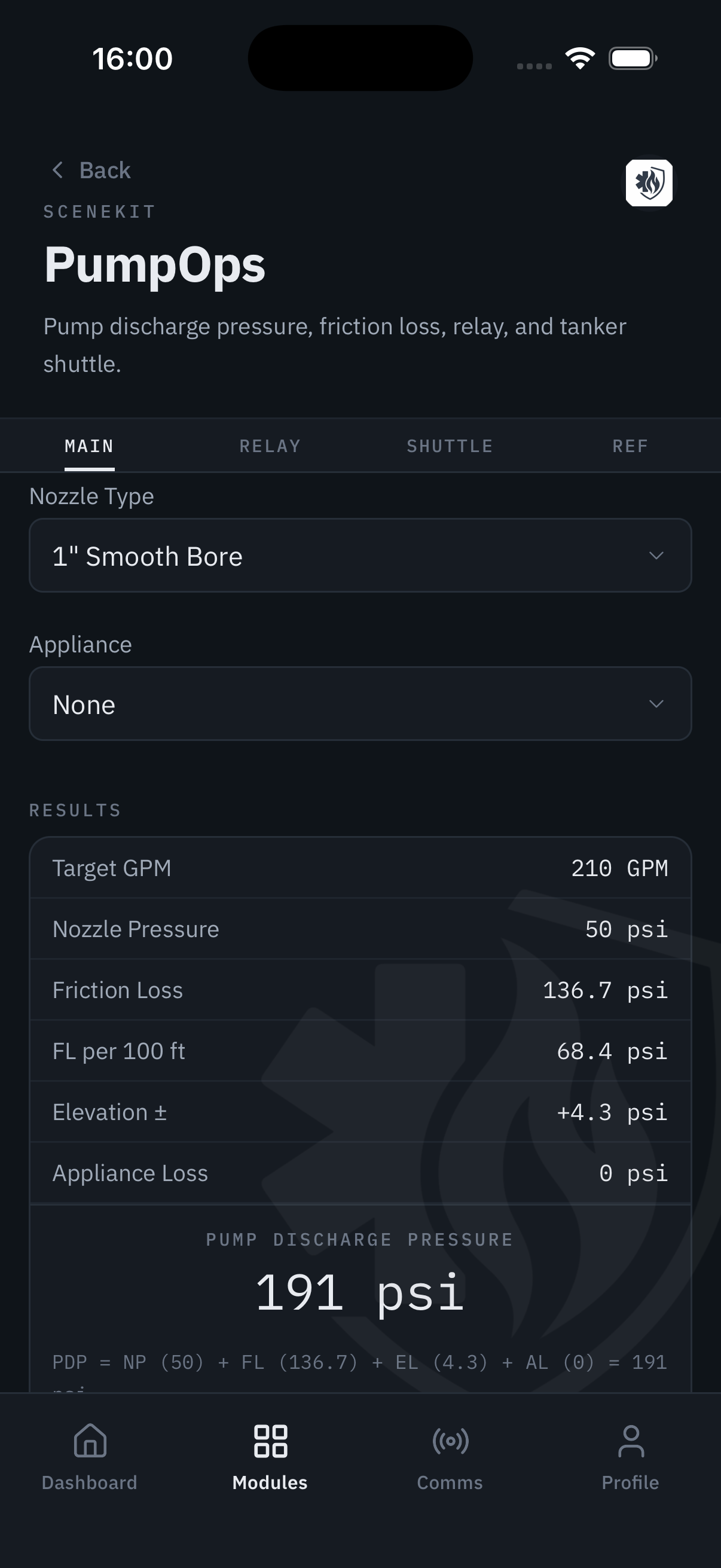
PDP calculator, friction loss, relay operations, and tanker shuttle all in one tool. For the engineer at the panel who needs the answer in the first 30 seconds of a working fire — not after consulting a paper chart.
Structured annual, probationary, and informal performance documentation — built for the officer who needs to complete an eval between calls, not the HR consultant with two hours blocked on a calendar. Probationary reminders fire before the cliff, not at it.
One-tap access to a structured counseling record with the four prompts that matter: what happened, what was expected, what was agreed upon, and what the follow-up looks like. The conversation you should have been documenting all along.
The coaching conversations, informal check-ins, and development moments that make the difference between a good captain and a great one — none of them were being documented. The coaching log exists to change that.
The structured crew passover gives the incoming officer context that never survives the shift change otherwise. Who's having a rough week. What's unresolved. What you were watching. Leadership continuity that doesn't require a phone call at 0630.
Assign station-level microtraining, track crew completions, and know who's current before the accreditor asks. The outline repo seeds your library with starter content so you're not building from scratch on a Tuesday B-shift.
Three-tier anonymity — identified, soft, or fully anonymous — means crews actually use it instead of letting close calls die in a debrief that got cut short. Supervisor review routes the right information to the right level without bottlenecking everything at command.
The shift pulse is a single rotating question — brief enough that responders actually answer it. Over time, it builds a personal picture of cumulative strain and fatigue that neither the captain nor the EAP program can see from the outside.
FleetKit replaces the clipboard that usually lives in the cab. Walk the apparatus, check the boxes, deficiencies attach to the unit — not to the person who found them. OOS status is immediate, visible to supervisors, and part of a searchable service record.
Who's in, who's out, who's eligible for a callback, and who already owes overtime — all visible before the shift starts. ShiftKit is built around the rhythm of the 24, not the assumptions of a 9-to-5 HR system.
Two planners in one: the station events calendar with BC-level approval workflow, and a personal planner for individual shift focus items. Recurring tasks carry over. Nothing falls through on shift change.
Configurable inspection templates, photo-linked deficiency tracking, and repeat violation detection. InspectorKit surfaces the occupancies that keep coming back — before the state inspector arrives and asks why you didn't.
Operations Mode is designed for the first-arriving officer who has 45 seconds before making the initial radio report. Hazards, construction type, utility shutoffs, and access above the fold — everything else scrolls below.
The 4-step referral intake wizard captures presenting concern, consent, and patient signature directly on screen. Cases persist across visits with a longitudinal care timeline and structured outcome tracking — no paper, no fax, no dropped referrals.